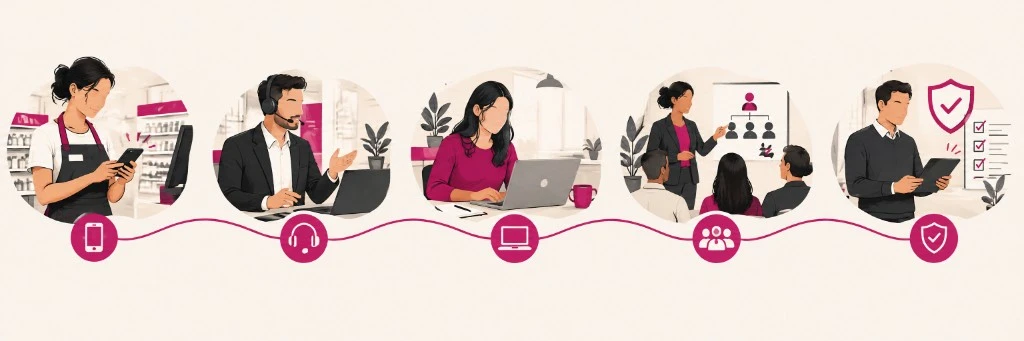
The same course rarely works the same way in a store, on a sales team and in an office with a laptop. Expectations change: how much time people have, which device they use, how much of a wall of text they will tolerate, and what counts as “useful”. Designing without looking at the role is the fast route to people dropping out.
In this article we go through five common roles and how to adapt the design. It complements the microlearning guide for companies.
A practical rule. Always ask: where is the person when they need to learn? If the answer is “between customers” or “in the van”, a desktop design is the wrong fit.
1. Deskless teams (store, warehouse, field)
People who work in a store, a warehouse or the field usually expect something that fits on a phone, in a 3–5 minute gap, in the language of the job and with examples from their own work. What they reject — long webinars, dense PDFs, “log in to the LMS from the PC in the back room” — clashes head-on with that context.
The design that works is just-in-time bites, a short video or a scenario, a one-question quiz, and delivery during the shift: the same approach as in microlearning for retail.

2. Sales and customer service
Sales and customer-service people want scripts, objections and new product they can use tomorrow, on a call or at the counter. Theory with no script, or generic “soft skills” modules with no context, usually goes nowhere.
Here it helps to have one objective per bite (“handle the price objection”), a short role-play and a snackable reinforcement on launch day. The catalog already has negotiation and customer-service pieces you can start from.
3. Office and knowledge work (staff, admin, support)
In the office, people expect clarity, less visual noise and the chance to pick up where they left off. Sometimes they also want depth on tools (Office, a CRM, AI). Childish gamification with no point, and a wall of text with no practice, rarely fit.
Short pathways work, as do interactives when they add something, and room to look things up. If the focus is office AI, the AI pathway fits better than a single course.
4. Managers and middle managers
Managers usually ask for a view of the team (who finishes, who gets stuck), short messages to align people, and tools to support them — not another 10-hour course “for them”. If they cannot roll the training out or measure it, they set it aside.
A useful design mixes light-touch leadership bites with a dashboard or tracking, and a 2-minute briefing to bring the team together. The manager is a channel: if they see no value, the pathway dies.
5. Compliance, health and safety, legal, quality
In compliance, health and safety, legal or quality, people expect evidence, clear rules and a way to update without rebuilding everything. Click-through theatre, or content so long that it gets signed without being read, does not serve.
The sensible route is bites with a quiz, a refresh cadence and traceability. If the risk is generative tools, prioritise training on the risks of AI. For health and safety or equality, start from the pathways in the catalog.
How to adapt without building five platforms
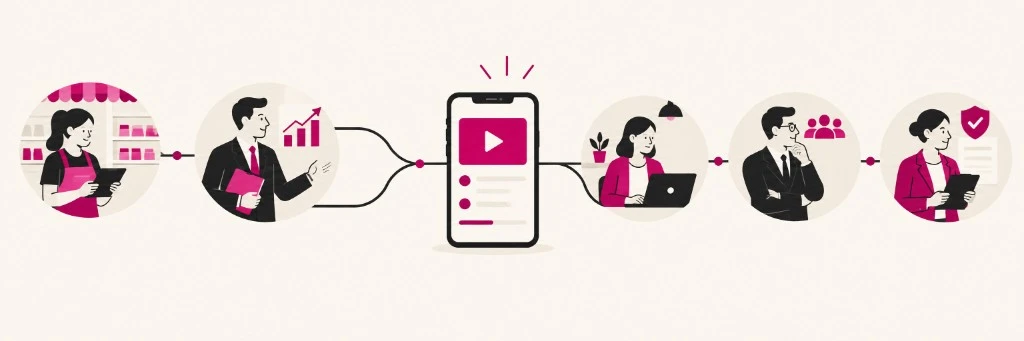
You do not need a different LMS for each role. You do need to segment delivery (who receives what, and when), vary the format (more mobile, more scenario or more text, depending on the role) and measure differently: time to productivity in a store onboarding is not the same as compliance hours in the office, as we explain in onboarding vs training and KPIs.
A microlearning platform with a channel and tracking is usually enough. If the campus is already Moodle, integrating it avoids duplicating systems.
Checklist before you launch
Before you publish, it is worth asking a few simple questions. Who is the real learner (not the one on the ideal org chart)? On which device, and at what moment, will they learn? Is there a single objective per bite? Does feedback arrive in under a minute? Which KPI will show that it worked?