Snackson, inside your Moodle
It integrates as a plugin. Learners can enter from Moodle or from Snackson—either way works. On Snackson they use the same method as always: a temporary code (OTP). The account is the same and results flow back to your course.
One plugin—and learners choose how to enter
Moodle stays the hub for tracking. Snackson remains available with the usual temporary-code access.

Added as a plugin
Snackson integrates into your Moodle as another plugin. It does not replace the Snackson app or website.
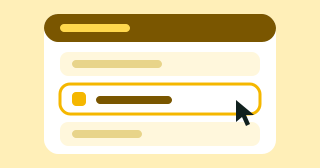
Enter from Moodle or from Snackson
From the course, like any activity. Or from Snackson (mobile or web) with the usual temporary code (OTP). It does not matter where they start.
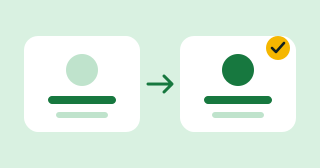
Their user is created automatically
The account is created automatically when linked to Moodle. No extra sign-up or password.

Data returns to Moodle
Whatever each learner does—whether they enter via Moodle or Snackson—is sent back to your course.
The certificate, from Moodle too
If the course has a certificate, it can be viewed from Moodle with tracking. You do not need another system to see who has finished.
Fewer steps for you, flexible access for learners
Enter from the course or from the Snackson app or web. On Snackson, access is still via temporary code (OTP).
The account is created automatically when linked to Moodle. Your team does not have to onboard anyone.
Whether they use Moodle or Snackson, data is unified and returned to Moodle.
If the course has a certificate, it is visible from Moodle with tracking.
With the plugin, Moodle stays at the center
- Another platform to send learners to.
- Users you must create by hand.
- Results in one place, tracking in another.
- Access from Moodle or from Snackson with OTP.
- User created automatically.
- Data, certificate, and tracking in Moodle.
Frequently asked questions
Can learners only enter from Moodle?
No. They can access from Moodle or from Snackson (mobile or web)—either way. On Snackson they use the usual temporary code (OTP).
Do learners have to register on Snackson?
No. The account is created automatically when linked to Moodle. From Snackson they sign in with the OTP, with no separate password.
Where do I see results?
In Moodle. No matter how the learner entered, data returns to your course.
What about the certificate?
If the course has a certificate, it can also be viewed from Moodle with tracking.
Bring Snackson to your Moodle
Tell us about your course setup and we will work with you on integration.
Moodle is a registered trademark of Moodle Pty Ltd. Snackson is not affiliated with or sponsored by Moodle.