At Snackson we support the content of our microcourses with audiovisual material we create ourselves. With animation we recreate situations or build explainer videos so new knowledge gets across quickly and in an entertaining way.
For that work we use professional software (Illustrator, Photoshop, After Effects, Premiere) and also online tools for creating video. Here is our top 8 tools for creating animated videos: what they offer, where they fall short, and a guide to prices.
Prices change often (especially with annual billing). The figures below are indicative as of October 2026, in dollars or euros, as each vendor publishes them. Before you purchase, confirm them on the official website.
Animaker
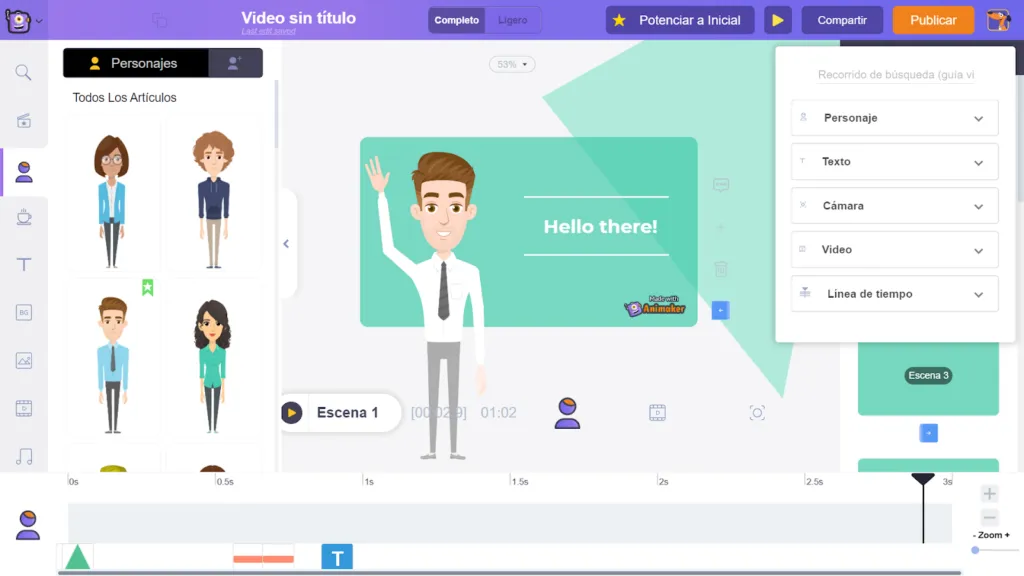
Animaker lets you build scenes, add characters and objects, and animate them with keyframes on the timeline. Export options depend on the plan.
Advantages
- Plenty of animation options, though it is not After Effects: keyframes per object, customizable characters (action, expression, movement).
- Voice-over with lip-sync on the character.
- A usable free plan to try it; paid plans remove the watermark.
Disadvantages
- The interface is still dense: pop-ups and panels that overlap.
- The timeline is less comfortable than in “classic” editing tools.
Plans (indicative, annual billing)
- Free — Limited exports, with a watermark.
- Basic — From about $10/month (annual): no watermark, limited premium exports, 720p.
- Starter — About $19/month: more exports, 1080p, more custom characters.
- Pro — About $49/month: up to ~30 premium exports/month, quality up to 2K, more assets.
- Enterprise — Custom pricing: 4K, collaboration, and team controls.
Animatron
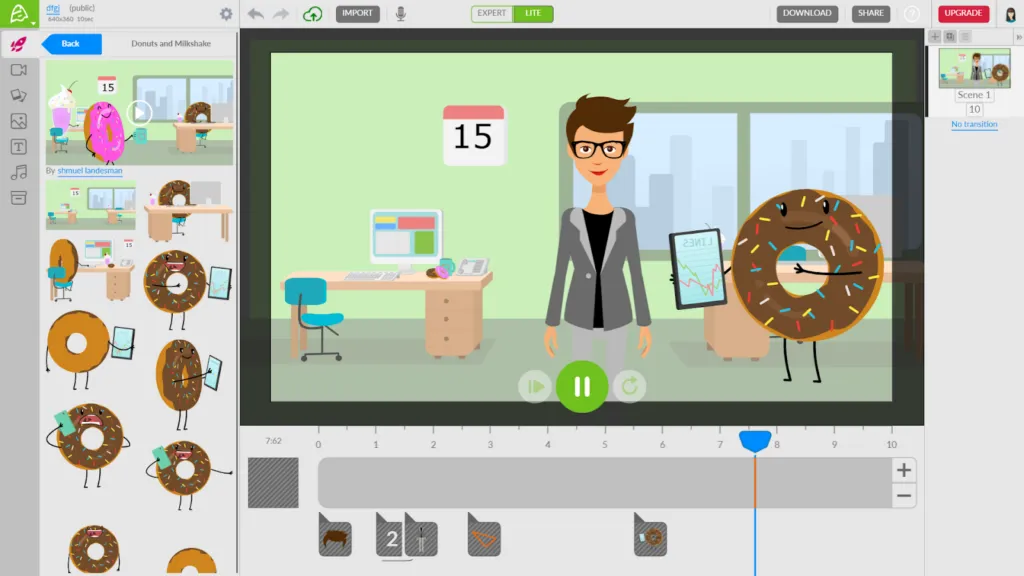
Animatron Studio combines video editing and animation. What stands out is its marketplace of characters, accessories, and backgrounds, with drag and drop.
Advantages
- Separate workspaces (lite, design, animation) depending on the type of project.
- A large library of backgrounds, objects, and characters with preset actions.
- Custom characters you can reuse across several videos.
Disadvantages
- Much of the higher-quality audio sits on paid plans.
- You do not animate objects “from scratch” with the same freedom as on an advanced timeline: many actions come ready-made.
Plans (indicative)
- Free — Limited projects, short exports, and commercial restrictions.
- Pro — About $15/month (annual): no watermark, commercial rights for your business, more storage and duration.
- Business — About $30/month (annual): 1080p up to ~20 min, more storage, and rights to transfer to third parties.
Biteable
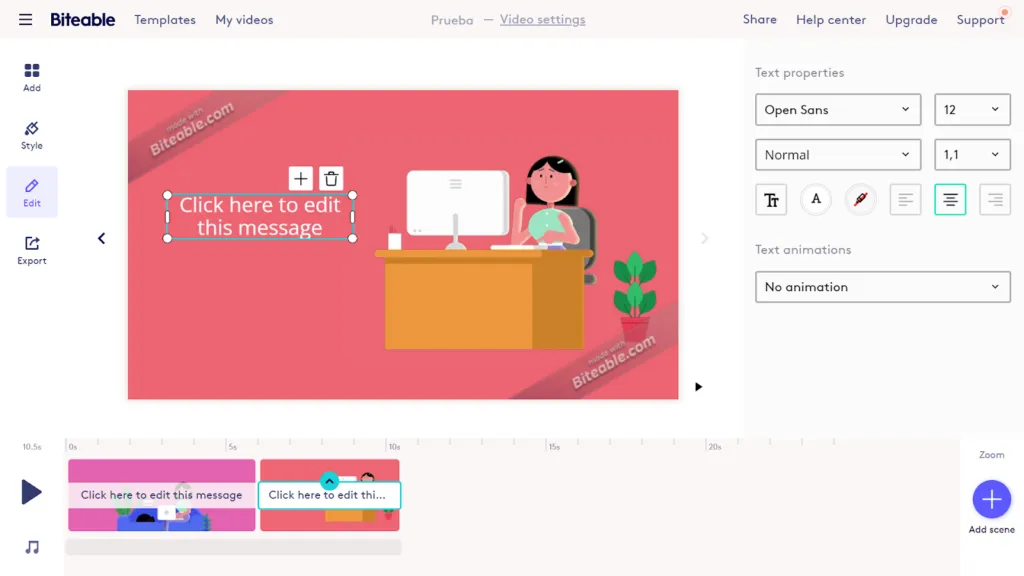
Biteable has grown from a simple editor into a versatile platform with templates, stock, and AI features (avatars, TTS, translation). It fits well if you want fast results without wrestling with keyframes.
Advantages
- A gentle learning curve: in minutes you have a presentable video.
- Thousands of templates and millions of clips, animations, and images.
- Paid plans with HD/4K export, a brand kit, and collaboration.
Disadvantages
- Less fine control over character animation than in Vyond or Animaker.
- For long or highly customized videos it falls short of a “real” animation editor.
Plans (indicative)
- Free trial — 7 days (Pro/Premium), with no card required in many cases.
- Pro — About $15/month (annual, 1 user): unlimited HD exports, stock, one brand profile, screen recording.
- Premium — Teams (from 3 users): 4K, more AI avatars, TTS, subtitles, longer videos.
- Business — Custom pricing: SSO, invoicing, unlimited users.
- There is an Education plan with a discount for teachers.
Renderforest
Renderforest replaces Explee on this list, the animation web app that shut down. It is an online suite (video, logo, mockups…) with animation templates, stock, and AI credits.
Advantages
- Plenty of explainer-video templates ready to customize.
- A free plan to try it; you can also pay for a single export if you do not want a subscription.
- Pro and Business unlock Full HD / 4K and more AI credits.
Disadvantages
- The result depends heavily on the template: less freedom than a Vyond-style timeline.
- The free plan carries a watermark and limited resolution.
Plans (indicative)
- Free — Exports with a watermark and limits on quality and templates.
- Lite — About $9–15/month depending on billing: 720p, basic AI credits.
- Pro — About $19–39/month: Full HD 1080p, more stock and credits.
- Business — About $39–59/month: 4K, a reseller license, and more storage.
Moovly
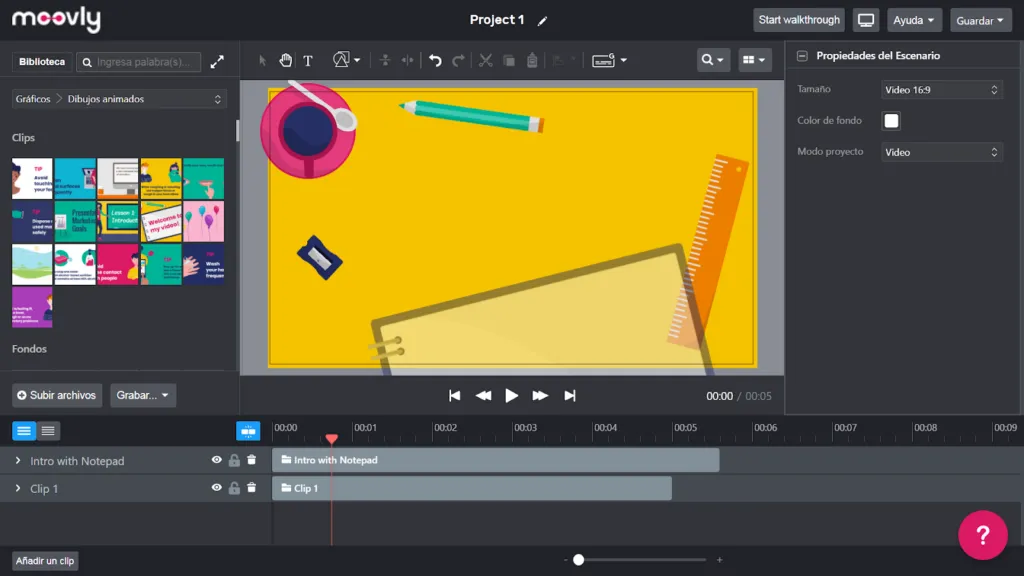
Moovly is built for short videos, presentations, and company or education settings. It fits microlearning-style formats well.
Advantages
- Tutorials and templates aimed at L&D and the classroom.
- Highly customizable templates and a reasonable timeline for adjusting timing per object.
- Education plans as well as corporate ones.
Disadvantages
- Without a paid plan, commercial use is usually restricted.
- Free limits export heavily (low quality, sometimes online publishing only).
Plans (indicative)
- Free — A basic library; very limited exports.
- Pro — Around $49/month or ~$299/year: high-quality exports and commercial use.
- Max — Around $99/month or ~$599/year: more exports, webcam, and a capture card.
- Enterprise and education — Custom pricing or specific annual packs.
Powtoon
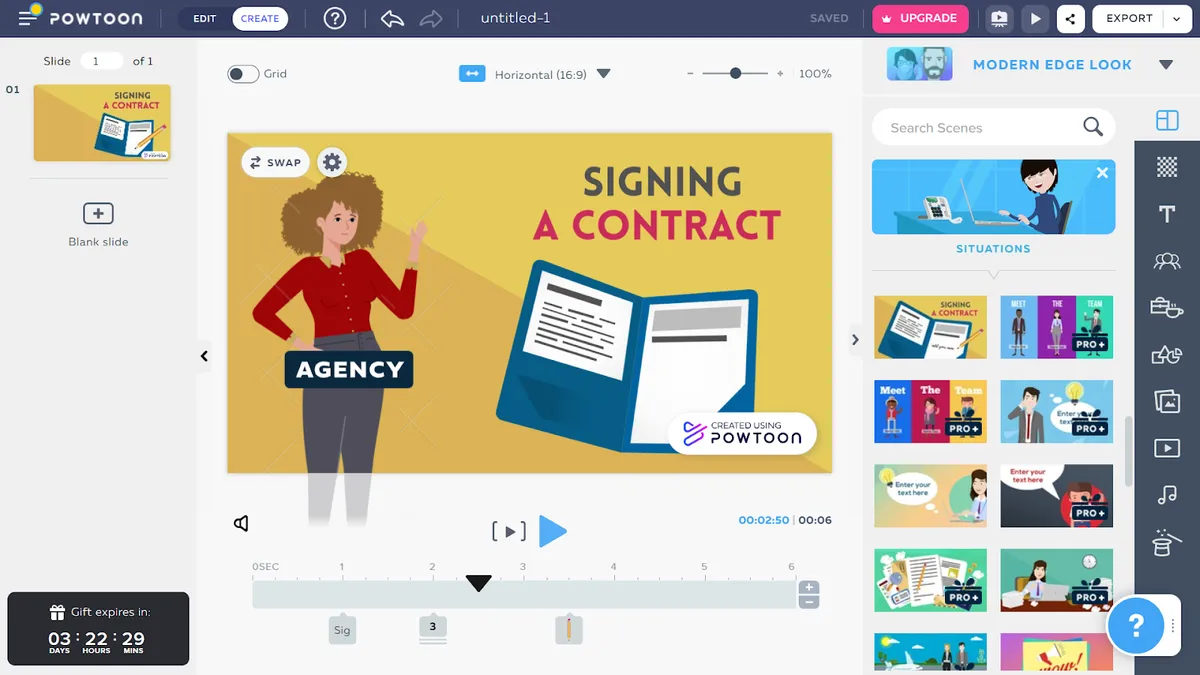
Powtoon mixes animation, presentation, and AI (text to video, avatars, TTS, dubbing). It remains a common choice in corporate training and internal marketing.
Advantages
- Templates by topic and style (cartoon, infographic, and so on).
- Brand characters, your own typefaces, and (on higher plans) lip-sync.
- AI credits included on paid plans.
Disadvantages
- On free: a watermark, short duration, and fewer premium templates.
- AI credits run out quickly if you generate a lot with avatars or clips.
Plans (indicative, annual billing)
- Free — Up to ~3 min, 720p, with a watermark.
- Lite — About $15/month: no watermark (limited exports), 1080p, up to ~10 min, AI credits.
- Professional — About $40/month: unlimited premium exports, up to ~20 min, more credits.
- Advanced — About $125/month: advanced branding, lip-sync, up to ~30 min, reseller rights.
- Enterprise / Education — Custom pricing or an EDU plan (~$8/month annual, with an EDU watermark).
Visme
Visme is more of a content workshop (presentations, infographics, documents, and video too) than a pure animator. Useful if the team already designs slides and wants to close the loop with video.
Advantages
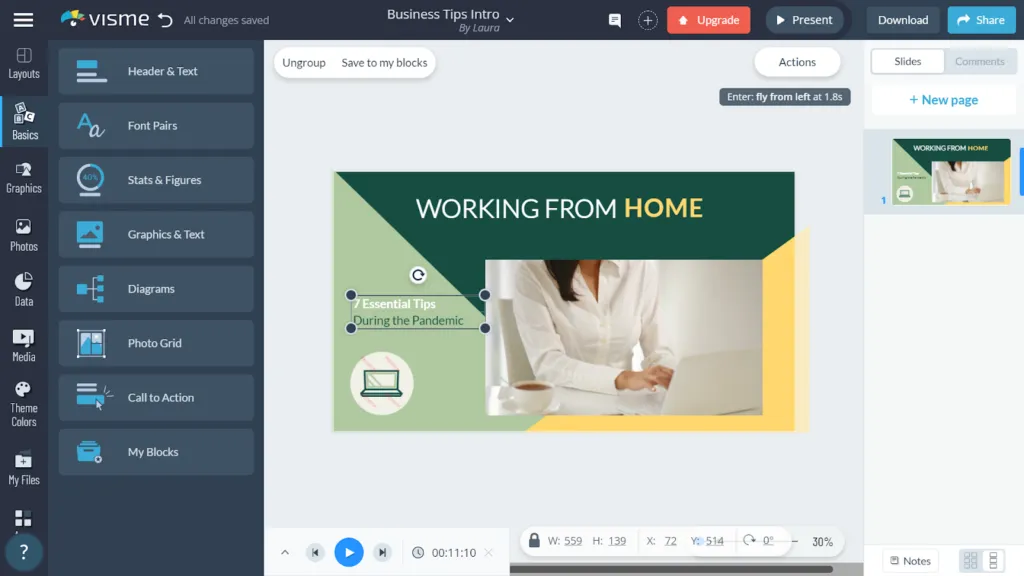
- A clear interface: library on the left, canvas in the center, scenes on the right.
- Brand wizard / Brand Kit from your website, logo, and colors.
- Built-in preview; on Pro, export to video, GIF, PPTX, and HTML5.
Disadvantages
- Free is almost no use for video (very limited downloads, often image only).
- The scene-based flow is not a classic timeline: it takes some getting used to.
Plans (indicative, per person, annual billing)
- Basic — Free: reduced storage, limited public projects.
- Starter — About $12.25/month: premium assets, JPG/PNG/PDF.
- Pro — About $24.75/month: video, GIF, PPTX, HTML5, Brand Kit, analytics.
- Enterprise — Custom pricing (they usually ask for several seats): SSO, more storage, and governance.
Vyond
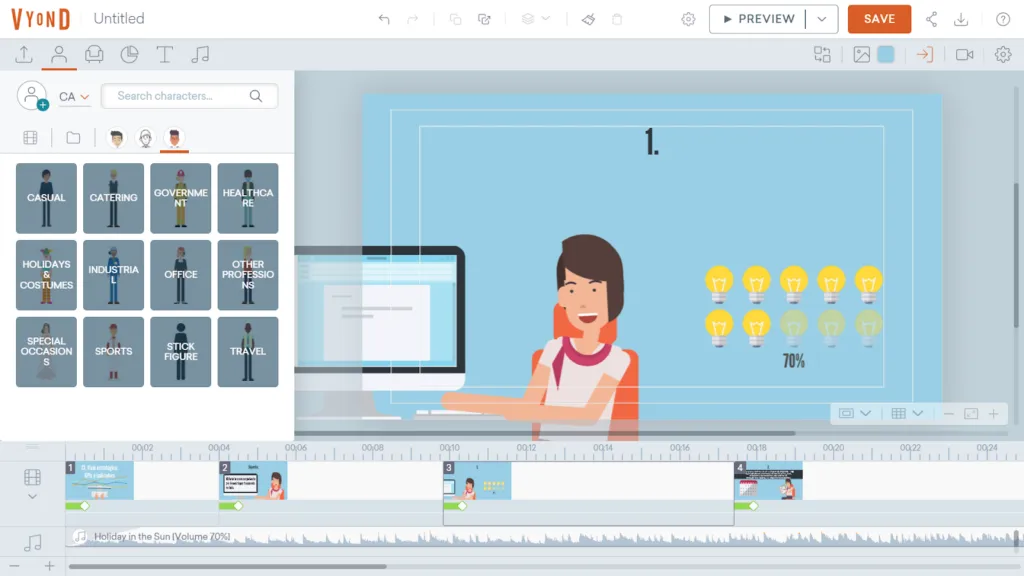
Vyond remains the benchmark for animation in business and training. Contemporary, corporate, and whiteboard styles; now with a strong AI layer (Vyond Go, avatars, TTS, translation, text to video).
Advantages
- A large library of characters, backgrounds, and props; fine control of action, expression, and movement.
- Voice-over with lip-sync; 1080p export, subtitles, and even SCORM on current plans.
- Collaboration, a brand kit, and AI credits that scale by plan.
Disadvantages
- It is the most expensive option on this list.
- The learning curve and the AI credit model mean you need to plan usage if you generate a lot from prompts.
Plans (indicative, annual billing)
- Starter — About $58/month (~$699/year, 1 user): AI avatars, TTS, recording, text to video, ~10,000 credits/month, up to ~100 downloads/month.
- Professional — About $100/month (~$1,199/year): collaboration, expanded stock, more credits and languages.
- Enterprise — About $137/month (~$1,649/year): brand management, security, nearly unlimited credits.
- Agency — About $167/month (~$1,999/year): built for agencies and high volume.
In conclusion
Almost all of these platforms offer a trial or a free plan so you can test the tool. In practice:
- If you want speed and templates, Biteable, Powtoon, or Renderforest are usually enough.
- If you need animation with control (characters, scenes, lip-sync) for courses and L&D, Vyond is still our flagship tool: a powerful interface built for business. Animaker is the closest alternative on value for money.
- Visme fits better if you already produce presentations and infographics and video is an extra.
- Moovly and Animatron remain solid options for teams that put templates and simplicity ahead of an advanced timeline.
For microlearning, the software is only part of the job: what matters is short messages, a clear pace, and a visual style consistent with your brand. If you want to see how we build this kind of video into training pathways, talk to us.