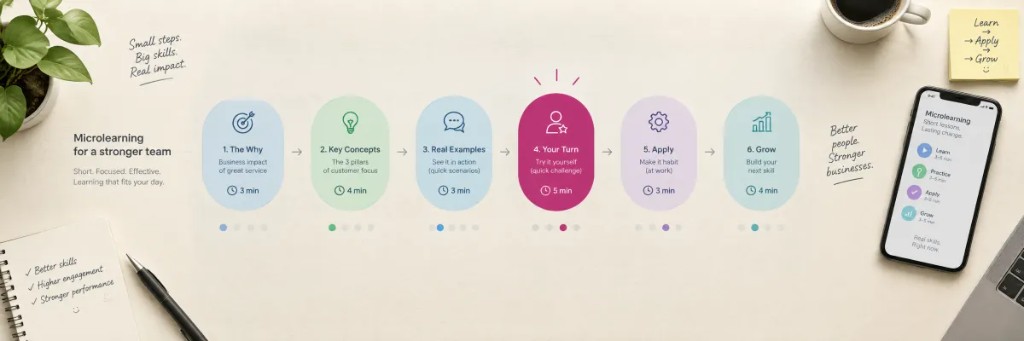
Microlearning lets you focus on the key concepts, leave out what is superfluous, and make it easier for the user to absorb the main ideas. For a microcourse to work, those ideas have to be expressed clearly, directly, and concisely.
You also need to balance training content with assessment content (questions), and to equip the course with visual resources: diagrams, images, charts, infographics and, when possible, video.
These 18 tips sum up what works best when you create microcourses in Snackson. If you prefer the original PDF, you can download it here.
Clear, usable content
1 Useful, practical ideas
Microcontent should convey useful knowledge with a practical point. State ideas or concepts directly and clearly.
2 Fit them into a real moment
They should be viewable in very little time. Picture the user in an everyday situation: could they view that content while riding the subway?
3 Short text
The text should be clear and concise, with nothing superfluous. It is best not to go beyond about 150 words. If the text is very long, it is better to split it into two microcontents.
4 Prioritize the visual
As far as you can, use graphics, diagrams, and videos. An image or a diagram (better if it is animated) helps the knowledge stick.
Video
5 Video sources
You can add videos from Vimeo or YouTube, or a URL to an mp4. Always use https paths so they work correctly on iOS.
6 Open with visual impact
If possible, after the opening start with a video or a visual diagram that grabs attention. If you can, show a video every ~10 microcontents.
7 Short videos
Try to keep them to no more than 2–3 minutes. If that is not possible, warn the user and, if you can, point out where the main ideas are.
Questions and assessment
8 Spread the questions out
Play with how you distribute them: at the end, at the beginning, interleaved, as a tool for reflection…
9 Information / assessment balance
The percentage of question-type content out of the total will depend on the course, but it should sit between 25% and 50%.
10 Consolidation pace
As a general rule, every 3 or 4 information microcontents, include a consolidation question (a quiz, multiple choice, or ordering a sequence).
11 Start assessing early
It is worth adding a question on the first day microcontent is received, and keeping some regularity in the assessment.
12 Surveys and follow-up questions
Add surveys and follow-up questions: to know the audience better, measure satisfaction, spot remaining doubts, and decide on the next reinforcement or module.
Microcourse structure
13 Not everything is linear
Break away from the idea of training that is only scripted and sequential. We learn from impulses and from connections with information nodes, not always in a rigid order.
14 Open with objectives
It is advisable to open the microcourse with a microcontent that explains the objectives and names the most relevant points that will be covered.
15 Explicit instructions
In the body of the content, add instructions about what the user should do, for example:
- Watch the video to learn…
- Look at the different images…
- Select all the correct options…
- Tap the image to see the full infographic…
16 Blocks without “chapters”
Snackson does not divide the course into sections or chapters. If your content has distinct blocks, separate them inside the same microcourse with approaches such as:
- Start each block with an introduction and an image that marks the new section.
- Close the block with a summary of what was covered (you can attach those points).
- Vary the colors of images and videos by block to guide the user.
17 Closing the course
The last microcontent should close the course: gather the most important points and thank people for taking part. It is worth adding an attachment with the summary that users can download.
18 Additional information
Use the additional-information section to add useful details about the content shown (context, sources, nuances).
In short
A good microcourse combines a short message, visuals, questions with a rhythm, and a structure that guides without relying on chapters. If you want to see this applied in real content, look at the catalog or talk to us about a custom course.